Importers compare screens, batteries, and cases. Buyers compare something else: whether the watch connects to their phone and stays connected. A watch with a great screen and a broken companion app is a return waiting to happen — the app is not an accessory to the watch. For most buyers, it is the watch.
What buyers actually complain about
App-store reviews show the same pattern for every brand, big and small. On Google Play, Galaxy Wearable reviewers report the same failures: the app “has disconnected with my Samsung Galaxy fit3, and now it will not connect” — fixed only by resetting the watch. Another wrote that after two years of working fine, the app started saying the watch was “not compatible with my phone” and stopped transferring activity data.
These are not cheap-watch problems — they happen to the biggest brands. On budget watches, where the app is often a white-label product shared across dozens of factories, they happen more often, with no big-brand support desk to absorb the complaints. They land on you, the seller.
A troubleshooting guide from UMA Technology states the trap plainly: a Bluetooth entry that says “Connected” or “Paired” is not always a completed smartwatch setup. The phone can show the watch as paired while the companion app never finished its own setup — leaving the buyer with a watch that shows the time and does nothing else.
Why pairing fails
Pairing looks simple. Underneath, several things have to line up, and a failure in any one of them looks like a broken watch to the buyer:
- Paired through the wrong route. Many watches must be paired inside the companion app, not through the phone’s Bluetooth settings. Pairing through Bluetooth settings first often leaves a half-connection the app cannot take over. The fix is to forget the watch on both sides and start again inside the app — a step most buyers never think of.
- Missing permissions. On Android, Bluetooth scanning needs the nearby-devices or location permission. On iPhone, the app needs Bluetooth permission in Settings. Without them, the app cannot see the watch — and the error rarely says why.
- Battery optimization kills the link. Android stops background apps to save power. If the companion app is not excluded from battery optimization, the phone can cut the link hours after pairing, and the watch stops receiving notifications or syncing data. Niora lists this as one of the four most common causes of a watch that will not stay connected.
- OS version gates. Every companion app has a minimum phone OS. A watch that needs Android 9 or iOS 12 will not set up on an older phone, whatever Bluetooth says. Some apps drop support for older phones in an update — how a watch that worked for two years suddenly reports itself as incompatible.
- Stale pairing records. A watch paired to a previous phone, or a phone holding an old pairing record for the same watch, can block a fresh setup. Both sides have to forget the old pairing before a new one works.
- Account and region requirements. Some apps ask the buyer to create an account before the watch works at all. Others are missing from an app store in a particular country, or listed under a different name. A buyer who cannot find the app cannot use the watch.
None of this is the buyer’s fault. All of it becomes your return rate.
What to check before you order
Ask the supplier these questions before you place an order, not after the first returns arrive:
- What is the app called, and where do buyers get it? Get the exact name and check the listing yourself on Google Play and the App Store — the rating, the number of reviews, and the date of the last update. An app untouched for a year is a warning sign.
- What phones does it support? Get the minimum Android and iOS versions in writing, and check them against the phones your market actually uses.
- What languages does the app speak? A watch with 27 watch languages is no help if the app is only in two. Check the app languages, not just the watch languages.
- What stops working without the app? Some watches keep time, count steps, and show notifications with no app. Others need the app for the first setup and every setting change. Know which kind you are buying.
- Does the watch support OTA updates? Firmware updates fix pairing bugs after the sale. A watch with no update path ships with whatever bugs it left the factory with.
- Who answers when the app breaks? If the supplier cannot name the app developer or support channel, neither can you — and your buyer will ask you.
How to test the app on samples
Run this on three samples with two different phones — one Android, one iPhone — before you commit to a bulk order:
- Fresh install, app route only. Install the app from the store, then pair through the app without touching the phone’s Bluetooth settings. Note every permission the app asks for and every account step it demands.
- Test after a restart. Restart both the phone and the watch. Does the link come back on its own, or does the buyer have to open the app and reconnect by hand?
- Test after 24 hours untouched. Leave the watch connected overnight. In the morning, check whether notifications and data still sync, or whether battery optimization killed the link.
- Test after an app update. If an update is available during your test week, install it and pair again. Updates are where working setups break.
- Test on the oldest phone your buyers use. If your market still runs older Android phones, pair the sample to one. A watch that only works on this year’s flagship will not sell to last year’s buyers.
Run the test for a full week. A pairing that works on day one and drops on day three is the most common failure in the field, and a one-day test will never catch it. We covered the same discipline for battery testing in our battery life guide: one fixed test, three samples, real use.
A watch from our range
The KT77 smartwatch pairs through FitCloudPro (Android 9.0+ / iOS 12.0+), a widely used companion app with 27 watch languages, over Bluetooth 5.3 calling with a voice assistant. The watch itself is a light 41.2g round watch with a 1.46-inch IPS display (360 x 360), IPX8 waterproofing rated to 10 metres, and about 7 days of use from a 300mAh battery, magnetic charging in about 2.5 hours — in black, gold, and purple.
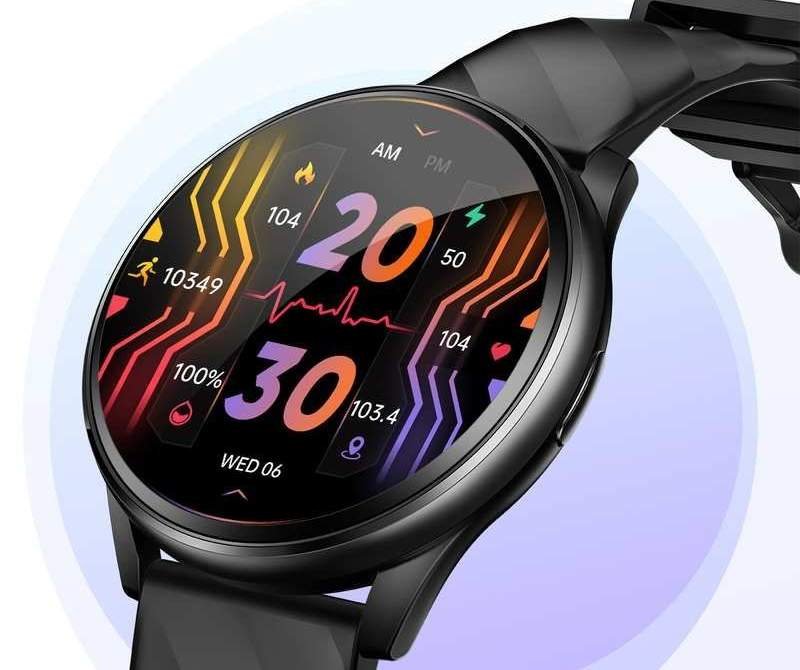
A buyer who cannot connect the watch will not keep it long enough to judge anything else about it. Check the app before you check the price.
Related reading: Smartwatch Sourcing Guide — How to Choose a Smartwatch Supplier in China
Why won’t my smartwatch pair with my phone?
Pairing fails for several common reasons, and each one looks like a broken watch to the buyer. Many watches must be paired inside the companion app, not through the phone’s Bluetooth settings — pairing through settings first often leaves a half-connection the app cannot take over. Missing permissions block the app from seeing the watch: Android needs nearby-devices or location permission, and iPhone needs Bluetooth permission. Android battery optimization can cut the link hours after pairing, and a watch that needs Android 9 or iOS 12 will not set up on an older phone. A stale pairing record on either side can block a fresh setup too, so both sides have to forget the old pairing first.
What should I check about a smartwatch companion app before ordering?
Get the app name and check its listing yourself on Google Play and the App Store — the rating, the number of reviews and the date of the last update, since an app untouched for a year is a warning sign. Get the minimum Android and iOS versions in writing and check them against the phones your market uses. Check the app languages, not just the watch languages: a watch with 27 watch languages is no help if the app is only in two. Ask what stops working without the app, whether the watch supports OTA firmware updates, and who answers when the app breaks — if the supplier cannot name the developer or support channel, neither can you.
How do I test app pairing on smartwatch samples?
Run the test on three samples with two different phones — one Android, one iPhone — for a full week, since a pairing that works on day one and drops on day three is the most common failure in the field. Start with a fresh install and pair through the app only, without touching the phone’s Bluetooth settings, noting every permission and account step. Restart both the phone and the watch and check whether the link comes back on its own. Leave the watch connected overnight and check whether notifications and data still sync in the morning. Test on the oldest phone your buyers use, and install any app update that appears during the test week and pair again.
If you want samples tested for pairing and app stability before ordering, or help comparing companion apps across models, talk to us at HnThai. We source from Huaqiangbei daily and test every batch before it ships.
You can also browse our products and our smart wear range, and read our guide to how to source smart rings from China.