
AMOLED burn-in on a smartwatch is uneven ageing of the screen’s pixels: pixels that stay lit fade faster than their neighbours, and a ghost of the image stays visible. The MT300 pairs a 1.43-inch AMOLED display (466×466) with a 440mAh battery and IP67 rating — and the watch face and brightness settings are the parts to check before you order.
What burn-in actually is
An AMOLED screen lights each pixel on its own, and the organic material wears out with use. A pixel showing the same bright time digits hour after hour works harder than the dark pixels around it, so it fades first — and the old image stays behind as a faint ghost. That is burn-in: permanent, uneven ageing. Image retention looks similar but fades after a few minutes of normal use; burn-in does not fade. A smartwatch is close to the worst case for an AMOLED panel, because the same face can sit on screen for hours at a time. For importers sourcing AMOLED smartwatches from China, the question is how long it takes to show, and what a supplier does to slow it down.
The cases buyers keep quoting
Notebookcheck reported in September 2025 that a Garmin Epix Gen 2 showed clear burn-in after four years of use with the always-on display switched on — words like “Battery” stayed visible on the screen at times when they should not have been there at all. The same report notes visible burn-in on a five-year-old Garmin Fenix 6 Pro with a memory-in-pixel display, a screen type many buyers assumed was immune. The running site the5krunner puts a rough clock on it: more than two years before AMOLED burn-in shows, and longer for memory-in-pixel screens. One widely shared remedy says to drain the battery and leave the watch off for 72 hours; its publisher says plainly it is not a certified fix, and severe cases need a new display. Garmin’s Venu forum shows how a maker designs around the risk: the always-on face moves the time, keeps no more than 10% of pixels lit, and no pixel on longer than 3 minutes. Burn-in is a specification to ask about, like battery and waterproofing.
Which screens carry the risk
| Screen type | How it ages | Burn-in risk | What to ask the supplier |
|---|---|---|---|
| AMOLED | Organic pixels fade at different rates | Real, but slow — years of static bright content | Always-on behaviour, pixel shift, brightness cap |
| TFT LCD | Backlit panel, no organic pixels | Ghosting possible; permanent burn-in uncommon | Whether the panel holds a static image after hours |
| Memory-in-pixel | Reflective, very low power | Low, but not zero — a five-year-old Fenix 6 Pro showed it | How long the face stays fixed, and at what brightness |
Two readings. First, no common smartwatch screen is fully free of the risk, so treat “no burn-in” with care. Second, the risk sits in screen type plus always-on behaviour: a dim, shifting face on an AMOLED panel can outlast a bright, fixed face on a tougher panel. Get the always-on behaviour in writing, per model. See our screen size guide.
What to ask your supplier before you order
Run these five checks on the sample. First, does the always-on face move? A shifting face spreads the wear; a still face concentrates it. Second, how bright is the always-on face, and can the buyer turn it down? A dim, mostly-black face wears far slower than a bright one. Third, does the watch offer a timeout that turns the screen off after a few seconds still? Garmin recommends the timeout for exactly this reason. Fourth, how many faces ship with the model, and are most dark? The MT300 ships with 5+2 dial choices, so a buyer can pick a mostly-black face. Fifth, what does the warranty say about the display — is burn-in covered, for how long, and what proof is needed? One honest limit: you cannot test burn-in on a sample in days — it takes years to show. What you can test is everything around it: the face moves, the brightness adjusts, the timeout works, dark faces exist.
Who should worry, and who should not
Gift and e-commerce sellers face the lowest risk: their one-to-two-year product life ends before burn-in shows. Outdoor and sports buyers face more exposure — all-day wear with always-on display on — so steer them to shifting faces and a timeout. Second-hand buyers face the highest risk: burn-in shows up first on a used screen, so inspect every used unit on a plain grey background. Distributors should put the display warranty in writing at order time. Our smartwatch sourcing guide covers the full checklist.
Featured model: the MT300
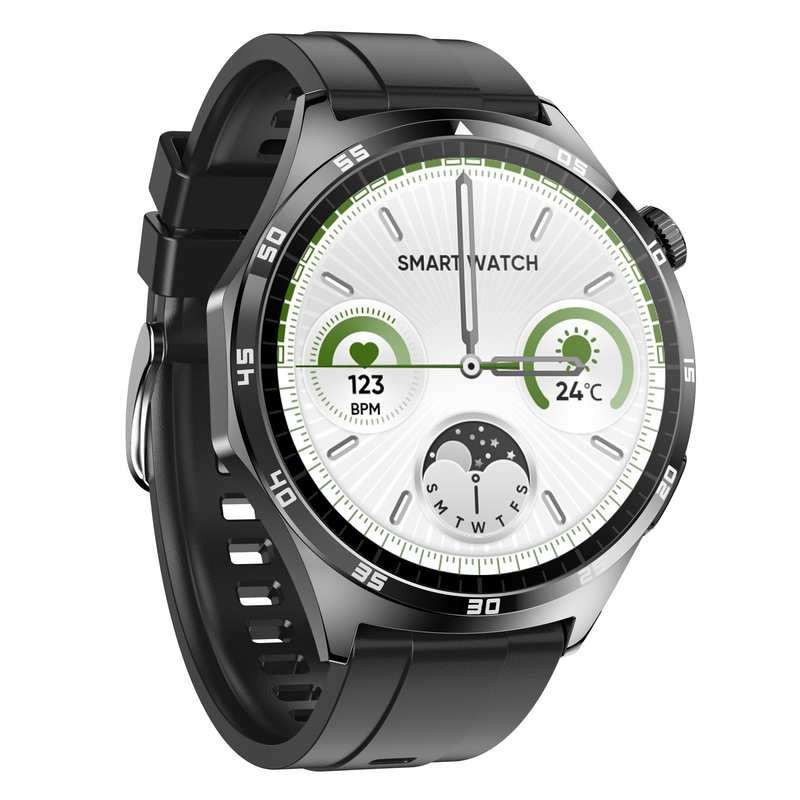
The MT300 smartwatch is a practical way to judge an AMOLED screen: a 1.43-inch AMOLED display (466×466) with full touch, in a metal-alloy case with a rotating crown. It runs on the JL7013A chip with Bluetooth LE 5.0 and the H Band app, carries a 440mAh battery with 2-pin magnetic charging, and is rated IP67, in a 48×12mm body at 63.5g, with 50 sport modes and 5+2 dial choices. Every number there comes from the spec sheet. The spec sheet does not state the always-on brightness or the display warranty — get both in writing before you quote it. See our smartwatches page.
Frequently Asked Questions
Does always-on display cause burn-in on smartwatches?
Always-on display raises the risk, but it does not guarantee burn-in. The risk comes from bright, fixed images held for long hours — clock digits that never move. Makers limit the damage by dimming the face and shifting the image: Garmin’s Venu keeps no more than 10% of pixels lit and no pixel on longer than 3 minutes. If your customers use always-on display, pick a model with a moving, dim face and a timeout setting, and tell them to use a mostly-black face.
How long does AMOLED burn-in take to appear on a smartwatch?
Expect more than two years of normal use before AMOLED burn-in shows, according to the running site the5krunner, which tracked the Garmin reports. The documented cases took longer: a Garmin Epix Gen 2 showed clear burn-in after four years with always-on display on, and a memory-in-pixel Fenix 6 Pro took five years. A bright, fixed always-on face shortens that clock; a dim face with a timeout stretches it. For most importers, the returns window closes well before burn-in shows — the risk sits with long-life and second-hand channels.
Can smartwatch screen burn-in be fixed, and does warranty cover it?
True burn-in is permanent and cannot be fixed by software. Draining the battery and leaving the watch off for 72 hours can clear temporary image retention, but its publisher says it is not a certified fix, and severe cases need a new display. Whether warranty covers burn-in depends on the supplier — some treat it as wear, some as a defect — so ask before you order and get the answer in writing, with the proof they need. Put the display warranty in the order file, not in a chat message.